 AI Chat Toolsfor Chrome, Firefox & Edge
How to export a ChatGPT conversation to PDF
Short answerChatGPT has no PDF button. You can print the page to PDF from your browser (Ctrl/⌘ + P), or request a full data export by email from Settings → Data controls. For a clean PDF of one chat with formatting, dates and page numbers, a free extension like AI Chat Tools adds a one-click export.
Method 1: Print the page to PDF (built in)
- Open the chat on chatgpt.com and scroll to load every message.
- Press Ctrl/⌘ + P and choose Save as PDF.
It’s free and needs nothing installed, but long chats are often cut off and the sidebar and buttons come along.
Method 2: ChatGPT’s data export (built in)
Go to Settings → Data controls → Export data. ChatGPT emails a ZIP of all your conversations as HTML and JSON. It’s complete, but it isn’t a PDF and you can’t pick one chat.
Method 3: One-click PDF with AI Chat Tools
- Open the conversation.
- Click the download icon in the top bar, or press Ctrl/⌘ + K and type export.
- Choose PDF and press Export.
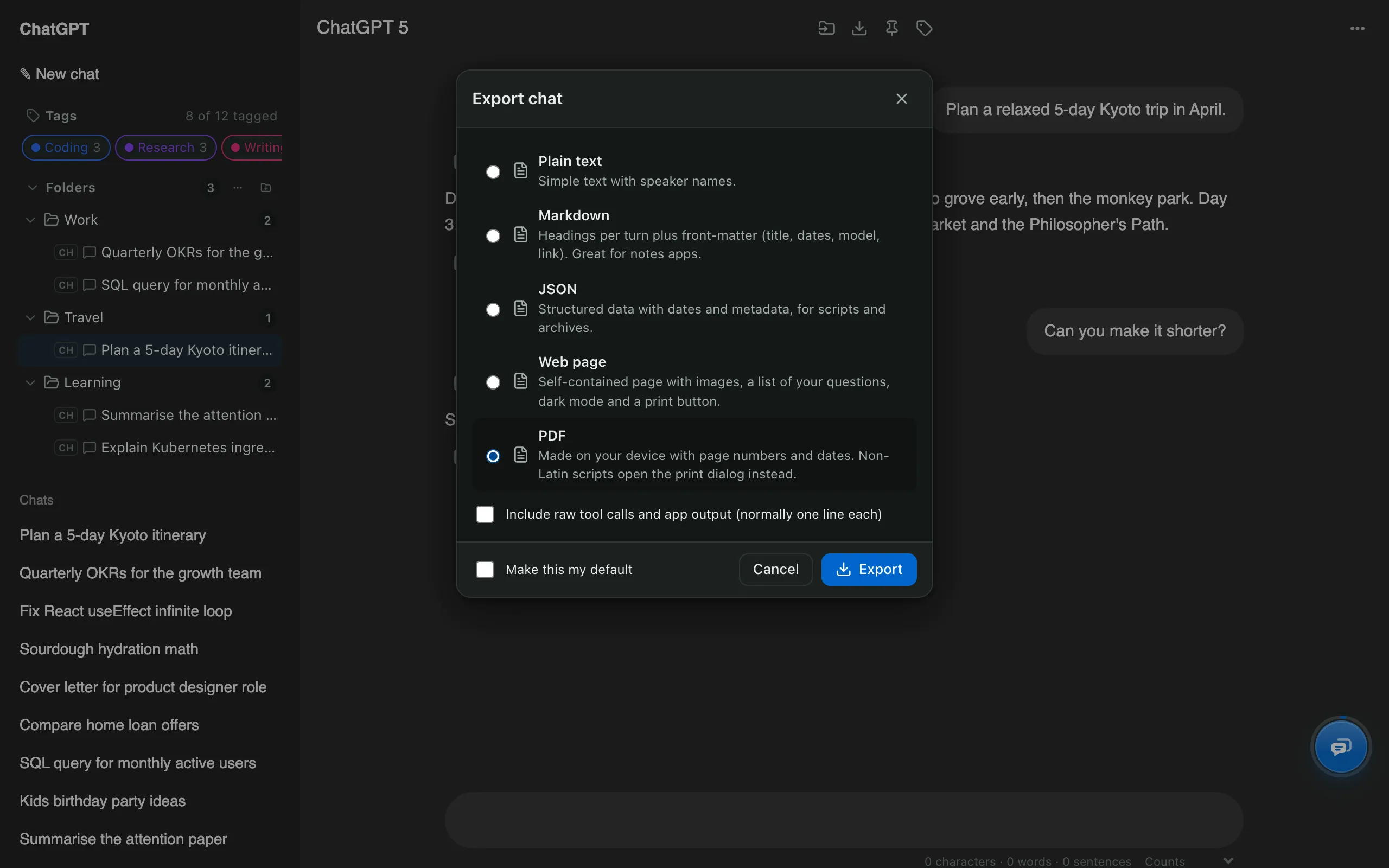
The PDF has the title, dates and a link back to the chat, each message with the speaker’s name, formatted bold text, headings and lists, and page numbers. It’s made in your browser; nothing is uploaded.
Which method is best?
| Print to PDF | Data export | AI Chat Tools | |
|---|---|---|---|
| One specific chat | Yes | No | Yes |
| Clean layout, page numbers | No | No | Yes |
| Many chats at once | No | All only | Any selection (ZIP) |
| Speed | Instant | By email, later | Instant |
How do I export many chats as PDFs?
Open Manage chats, tick the chats, press Export and pick PDF. You get one ZIP, organised like your folders. More formats are covered on the ChatGPT exporter page.