Prompt library

Your best prompts, one // away.

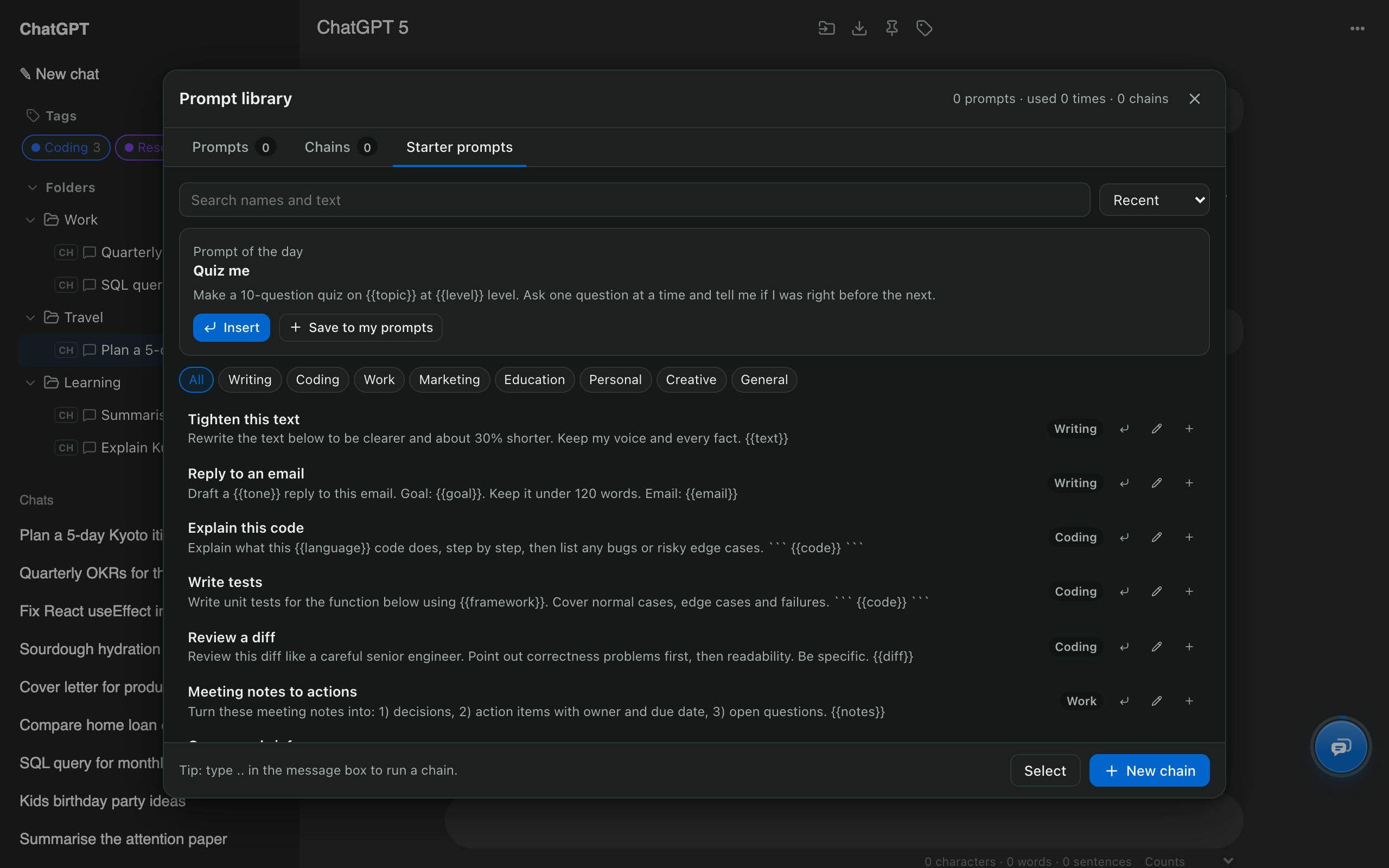
Save the prompts you reuse, fill in variables, and insert them by typing // in any chat. Chain prompts together and pull earlier conversations in as context.

Add to Chrome, free Works in Edge and Brave too · Firefox soon
  • Free
  • Made on your device
  • ChatGPT, Claude, Gemini, Grok
AI Chat Tools prompt library with starter prompts grouped by category

Prompt library: quick facts

InsertType // in the message box
Variables{{name}} placeholders filled in before inserting
ChainsSeveral prompts sent in order, each waiting for the reply; run with ..
Past chatsType @@ to add an earlier conversation as context
Works onChatGPT, Claude, Gemini and Grok
PriceFree

How to use it

  1. Press Ctrl/⌘ + K and open the Prompt library.
  2. Create a prompt, or save one of the starter prompts.
  3. In any chat, type // and pick it; fill in any {{variables}}.

Why keep a prompt library?

The prompts that work best are the ones you’ve refined. Saving them means the same quality every time, without hunting through old chats.

How do variables work?

Write placeholders like {{topic}} or {{tone}} in a prompt. When you insert it, you’re asked for each value and the finished prompt lands in the message box.

What can chains and @@ do?

Chains automate multi-step work: each step waits for the previous reply. @@ pulls an earlier conversation in as context, from any site, so you can continue work across assistants.

Prompt library: common questions

What is a prompt chain?

A chain sends several prompts one after another and waits for each reply before sending the next, for example research, then outline, then draft. Type .. in the message box to run one.

Can I use the same prompts on Claude and Gemini?

Yes. The library is shared across every supported site.

Free for Chrome, Firefox & Edge

Your AI chats, finally organised

Folders, export, bulk delete and search for ChatGPT, Claude, Gemini and Grok. Free, and your chats never leave your device.

Add to Chrome, free Works in Edge and Brave too · Firefox soon Read the guides